The App Already Knows You Crossed the Line: A Dewan88 Location Preflight for Traveling Slot Players
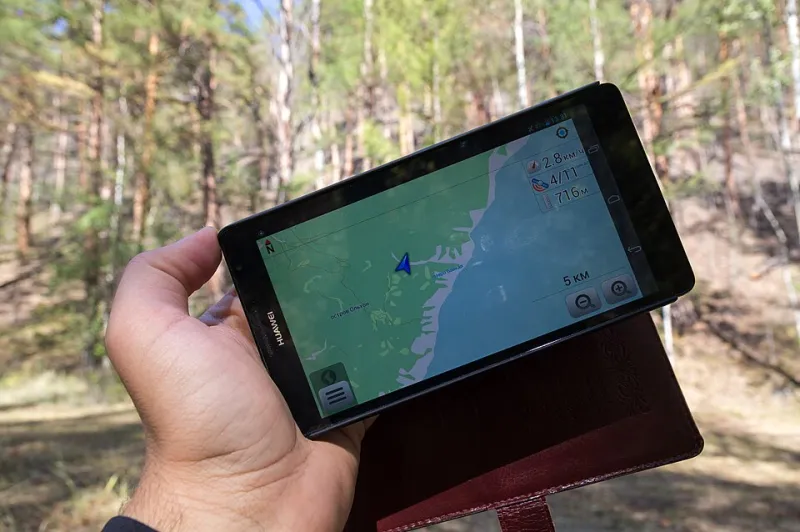
Photo: Vyacheslav Argenberg, CC BY 4.0, via Wikimedia Commons
There's a specific kind of silence that happens in a hotel parking lot outside Albuquerque. You've got a coffee, you've got twenty minutes, and you've got a slot lobby open on your phone. You tap spin. The reels don't move. Instead, a gray banner informs you that your location can't be verified. Welcome to geo-fencing — the least glamorous part of digital gambling, and the one most likely to ruin a good session on the road.
This isn't a scare piece. It's a preflight checklist. If you're a Dewan88 reader who plays slots on a phone or tablet and you're planning to travel across state lines in 2026, a few minutes of setup before you leave can save you an hour of frustration in a Courtyard Marriott.
Why the App Cares Which State You're In
US online casino apps are licensed state by state, not nationally. That means the app has a legal obligation to confirm you're physically inside a jurisdiction where it's allowed to operate — and to keep confirming it, not just at login. Most apps ping your device's location services periodically during play, and again when you open a cashier, claim a bonus, or request a withdrawal.
That's the whole mechanism. It's not personal, and it's not a glitch. When the app says it can't verify your location, it's usually doing exactly what it was built to do. The trick is understanding the moving parts before they move on you.
Three things tend to break on the road:
- Location permissions get toggled by a phone update, a battery-saver mode, or a well-meaning privacy setting.
- State borders change what's legal and what's offered, sometimes within a few miles.
- Bonus terms are often tied to the state where you opted in, which matters more than most players realize.
The Ten-Minute Preflight, Done at Home
Do this before you pack, not in the lobby.
1. Confirm precise location is on. On iOS, that's Settings → Privacy & Security → Location Services → [your casino app] → Precise Location. On Android, it's under App Permissions → Location → Use precise location. If the app only has "approximate" access, it may not be able to confirm you're inside a state line.
2. Turn off the VPN. All of them. Not just the one you remember installing. A VPN routing through another state or country is one of the most common reasons a session gets flagged.
3. Kill the battery-saver mode for the app. Aggressive battery optimization can throttle background location checks. If your phone is in low-power mode at 14%, expect location verification to be the first thing that fails.
4. Test a real session at home. Log in, open the cashier, and load a slot. Note how long verification takes and whether anything asks for permission. You want your first test to happen on your own Wi-Fi, where you can troubleshoot calmly.
5. Read the bonus terms for state language. Look for phrases like "offer valid in [state] only" or "eligibility determined at time of opt-in." If you can't find it in the summary, open the full terms. It's usually there.
The Border Is Not a Suggestion
State lines matter more than players expect. A casino that's fully legal in one state may be unavailable in the next one over, and the app doesn't always announce this politely — it just stops working.
A few practical notes for 2026 travel:
- Check eligibility before you go. If you're driving from Ohio to Pennsylvania, confirm the app operates in both before you assume your session will follow you.
- Don't claim a bonus mid-trip. Opt in at home, or opt in after you've confirmed the app is functioning at your destination. A bonus claimed in one state and wagered in another is a classic route to a voided offer.
- Cashouts deserve their own check. Withdrawal requests often trigger a fresh location and identity check. If you're planning to cash out on the road, do it while you're stationary and on a stable connection — not at 70 mph with a passenger holding your phone.
Bonuses Don't Travel Well
Here's the part that catches people: a bonus you accepted at home may carry terms that reference the state where you opted in. If you then play from a different state, the operator can treat the wager as outside the offer's scope. That doesn't always mean a forfeit, but it can mean a review, a delay, or a support ticket you didn't plan on filing.
The safe habit is simple. Treat bonuses as location-specific until you've read otherwise. If a promotion's terms are silent on travel, assume the conservative reading.
When the App Says No, Believe It
This is the part where players get creative, and creativity is a bad idea here. Spoofing GPS, using a VPN to fake a location, or asking support to "just override it this once" can turn a minor inconvenience into an account review, a locked balance, or a forfeited withdrawal. The app isn't negotiating. It's reporting.
If you get a location error, the useful moves are:
- Toggle airplane mode for ten seconds, then retry.
- Step outside or near a window — GPS indoors is unreliable.
- Close the app completely and reopen it.
- Check that location services haven't been switched off by a system update.
If two of those fail, stop. That's the stop rule. Close the app, and try again when you're somewhere with a clear signal and a state you've confirmed is eligible. A session you can't verify isn't a session worth forcing.
The Dewan88 Travel Rule
Before the first spin of any trip, run the checklist: precise location on, VPN off, battery saver off, state confirmed, bonus terms read. It takes less time than finding parking. And if the app locks you out anyway, treat it as information rather than an obstacle — it's telling you something about where you are, and the smarter play is to listen.
Slots aren't going anywhere. Neither is the state line.